How to change Monday.com's notification sound on Mac
Monday.com has no notification-sound settings of its own on macOS. To silence it, turn off “Play sound for notifications” for Monday.com in System Settings → Notifications. To give it a different sound, or a different sound per channel, person, or keyword, you need a rule-based app such as Chirpy, which reads macOS notifications locally and plays the sound you assigned.
The honest answer: Monday.com doesn't expose any in-app notification-sound settings. Your real options are the macOS-level method below, or Chirpy if you want per-notification customization.
How do I mute Monday.com notifications on a Mac?
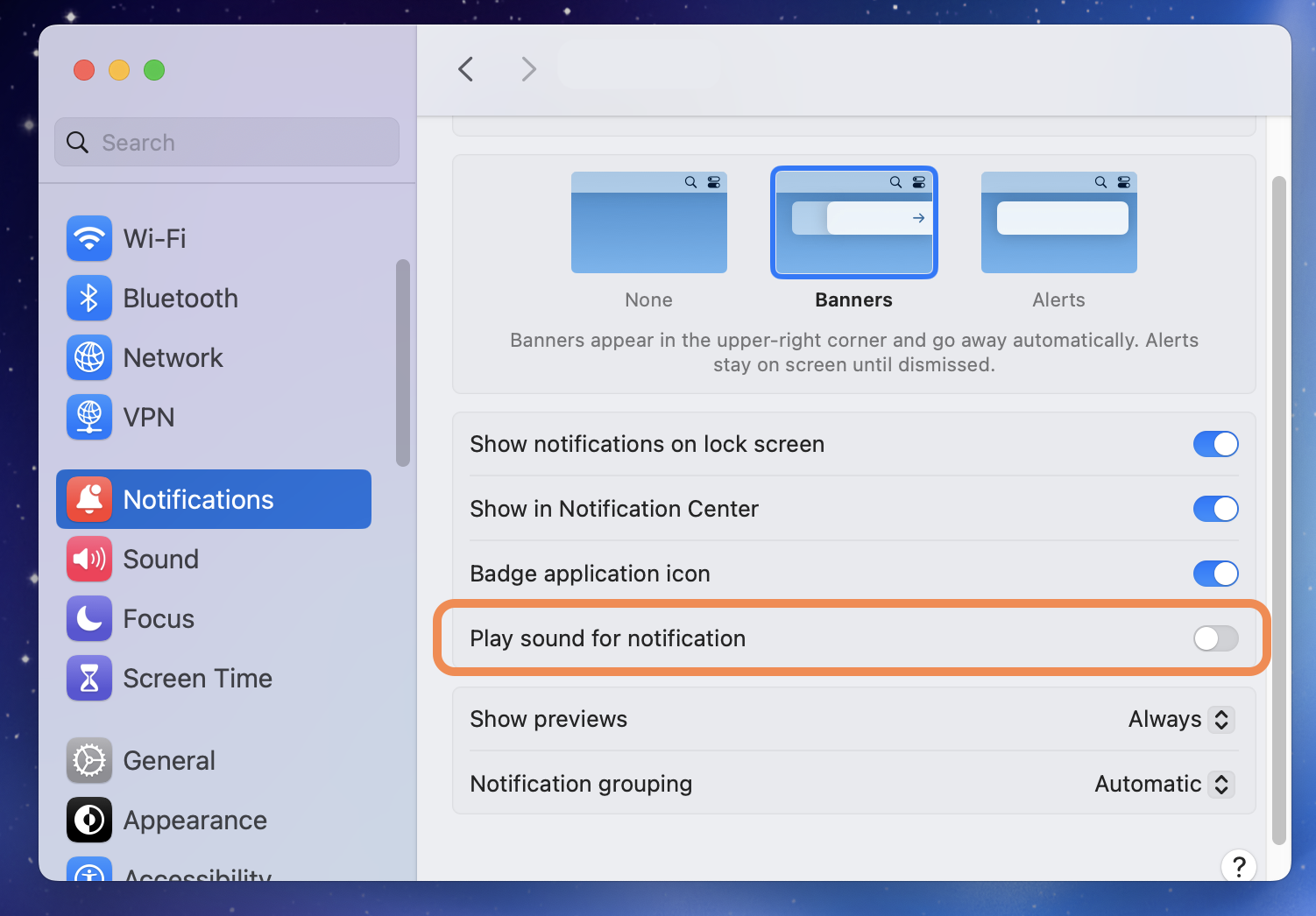
macOS lets you silence any app's sound without disabling its notifications. The full visual walkthrough lives on the universal macOS method page. The short version:
- Open System Settings → Notifications on your Mac.
- Scroll to Monday.com in the application list and click it.
- Turn off “Play sound for notifications”.
- Monday.com keeps showing banners and badges, with no audio.
How Chirpy fills the gap
With Chirpy you can give Monday.com's notifications a sound that matches their importance. For example: a quiet chime for routine updates, a louder bell for mentions, silence for the rest. All triggered by keywords in the notification text, with no plugin and no API access required.
Sorting out more than Monday.com? The same method covers every app on your Mac: set a per-app notification sound.
Frequently asked questions
Can I change Monday.com's notification sound on Mac?
Not inside Monday.com, which exposes no notification-sound settings of its own. macOS offers a single system alert sound shared by every app. To give Monday.com its own sound you need a third-party tool such as Chirpy, which matches macOS notifications against rules you write and plays the sound you chose.
How do I mute Monday.com notifications on Mac without turning them off?
Open System Settings → Notifications, click Monday.com in the list, and turn off “Play sound for notifications”. Monday.com keeps showing banners and badges, so you stop hearing it without losing it.
Can I set a different sound for specific Monday.com notifications?
Not with macOS or Monday.com alone, because neither can read the content of a notification and act on it. Chirpy matches the notification text against rules you write, using a name, a channel, a keyword, or a combination with AND/OR, then plays the sound you assigned to that rule.
Does muting Monday.com in System Settings also hide its banners?
No. “Play sound for notifications” only controls audio. Banners, the Notification Center list, and Dock badges are separate toggles on the same screen.
Want sounds that actually mean something?
Chirpy adds rule-based custom sounds on top of macOS notifications. One sound for Monday.com mentions, another for your calendar, silence for the rest. It is a native menu bar app. $19.99 as a one-time purchase, requires macOS 13 or later, and runs entirely on your Mac.